We independently review everything we recommend. When you buy through our links, we may earn a commission. As an Amazon Associate we earn from qualifying purchases.
4 Best 3-Way Active Studio Monitors (November 2026)
Compare four active three-way studio monitors with balanced XLR or TRS inputs, coaxial and midfield designs, and the room fit each one actually needs.
Compare four active three-way studio monitors with balanced XLR or TRS inputs, coaxial and midfield designs, and the room fit each one actually needs.
Choosing a three-way monitor is really a decision about the vocal range. In a two-way cabinet the woofer has to cover bass and much of the midrange, so voices, guitars, and snare body all share one driver that is also moving hard on low notes. A dedicated midrange driver changes that workload, and the buyer is deciding whether cleaner midrange separation is worth a larger cabinet, a higher spend, and stricter placement than a compact two-way setup demands.
This guide is for home producers upgrading from entry-level two-way monitors, mix engineers building a midfield rig, and post-production editors who need dialogue to stay intelligible at low volume. Every pick below was selected from its Amazon product name and listing details, and each one had to confirm three things on that listing: powered operation, a true three-way driver layout, and a balanced XLR or TRS input.
Quick Picks
As an Amazon Associate we earn from qualifying purchases.
Product
Best for
Key spec from title
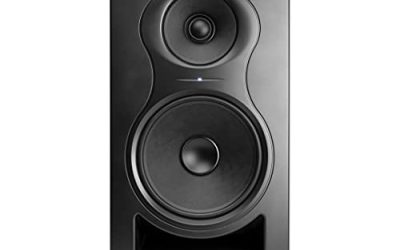
Kali Audio IN-8 V2 8-inch Powered Studio Monitor
Larger home studios wanting coaxial imaging with real low-end weight
8-inch 3-way powered monitor with coaxial 1-inch tweeter
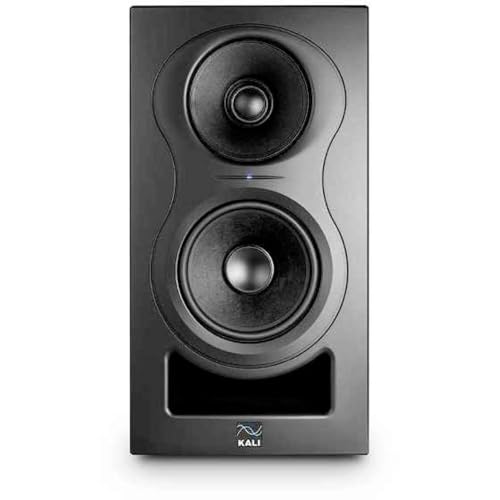
Kali Audio IN-5 5-Inch Studio Monitor
Close desk listening where the seat barely moves during a mix
5-inch studio monitor with coaxial midrange and tweeter
ADAM Audio A77H 7-inch Powered Studio Monitor
Horizontal midfield placement on a wide console or meter bridge
Dual 7-inch woofers in a powered three-way midfield cabinet
Neumann KH 310 Right 3-Way Studio Monitor
Sealed-cabinet accuracy for nearfield and multichannel work
Tri-amplified 3-way monitor with 8.25-inch low-frequency driver
How to Choose
Match Cabinet Size and Woofer Size to the Room
Room dimensions should settle the shortlist before brand preference enters the conversation. An 8-inch three-way cabinet in a small untreated bedroom will excite low-frequency buildup that no rear-panel switch fully removes, and its owner ends up mixing bass by guesswork. A 5-inch model such as the IN-5 suits a desk against a wall in a compact room, while dual-woofer horizontal designs like the A77H assume a wider space, a proper stand or console surface, and enough distance for the separated drivers to blend. Measure the listening distance first, then check the cabinet footprint against your desk or stands, because a monitor that only fits sideways or squeezed behind a screen starts compromised.
Read the Amplification as a Per-Driver Split, Not a Headline Number
Three-way monitors are normally tri-amplified, meaning each driver gets its own amplifier channel, and the split matters more than the total. A listing that separates woofer, midrange, and tweeter power tells you where the designer expected the workload to sit; the IN-5, for example, assigns the largest share to its woofer and equal shares to the midrange and tweeter. Headroom at your normal mixing level is the practical question. If you mix quietly for dialogue or acoustic material, modest totals are rarely the limit. If you track loud bands or check low end at distance, reserve power and maximum output become the figures worth comparing on the listing.
Decide Between Coaxial Point Source and Separated Drivers
Driver geometry changes what happens when you lean, reach for a controller, or shift in your chair. Coaxial designs place the tweeter at the centre of the midrange driver, so those two ranges arrive from the same point and the stereo image holds together over a wider range of head movement; both Kali models in this guide use that approach. Separated layouts, such as the Neumann and ADAM cabinets here, put each driver in its own position, which can work beautifully at the intended distance but asks for more care with height, toe-in, and symmetry. Neither arrangement wins automatically. The right choice follows your listening distance and how still you actually sit while working.
Confirm the Balanced Input and the Room Controls Together
A balanced connection only helps if the whole chain supports it, so check that your interface or mixer offers balanced outputs and that the monitor listing names a balanced XLR or TRS input rather than only an unbalanced RCA socket. Balanced cabling rejects interference picked up along longer runs, which matters when cables pass power supplies and computer gear. Then look at what the cabinet offers for placement correction: boundary or DIP-switch EQ on the Kali models, acoustical controls on the KH 310, and DSP-based room calibration support on the A77H. These controls solve different problems, so match them to your actual placement instead of treating any switch as a bonus.
The 4 Best Options
Kali Audio IN-8 V2 8-inch Powered Studio Monitor
Top Pick
Kali Audio IN-8 V2 8-inch Powered Studio Monitor
Best for: Mid-sized home studios that need coaxial imaging plus an 8-inch woofer for low-end decisions.
Configuration: 3-way powered studio monitor, sold as a single speaker
Woofer: 8-inch
Midrange: 4-inch optimized-profile driver, coaxial with the tweeter
The IN-8 V2 fits the producer whose room has outgrown a small two-way pair but whose work still happens at a desk or on stands a few feet away. Its 8-inch woofer gives kick and bass parts a dedicated driver with genuine size behind it, while the coaxial midrange and tweeter keep vocals and stereo placement coherent when you lean across a keyboard. Because the cabinet is front-ported and wall or ceiling mountable according to its listing, it adapts to rooms where stands behind the desk are not an option, although its size still deserves honest measuring before ordering a pair.
Kali Audio IN-5 5-Inch Studio Monitor
Runner-Up
Kali Audio IN-5 5-Inch Studio Monitor
Best for: Desk-based producers and editors who listen close and move around while they work.
Configuration: 3-way powered studio monitor with coaxial midrange and tweeter
Anyone mixing at arm’s length should look closely at the IN-5, because its whole design is aimed at short distances. The 5-inch woofer keeps the cabinet manageable on a crowded desk, yet the midrange is not squeezed out of that smaller box: a separate 4-inch driver carries it, with the tweeter mounted coaxially at its centre. That arrangement keeps dialogue, vocal doubles, and panned guitars stable when you shift between screen, controller, and keyboard. Rear DIP switches for boundary compensation help when the speakers must live near a wall or on a desktop surface rather than in free space.
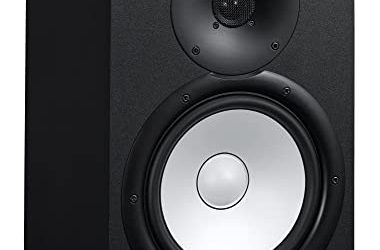
ADAM Audio A77H 7-inch Powered Studio Monitor
ADAM Audio A77H 7-inch Powered Studio Monitor
Best for: Control rooms and wide desks that can give a horizontal midfield monitor proper space and distance.
The A77H addresses a different room problem: a wide console, a meter bridge, or a midfield position where a horizontal cabinet fits better than two tall boxes. Two 7-inch woofers flank a dedicated 3.5-inch midrange driver and a rotatable X-ART tweeter, so low-frequency duties are shared while the midrange still gets its own driver. Onboard DSP with Ethernet connectivity supports automated room calibration, which suits a permanent control-room installation more than a portable desk setup. Its broad horizontal footprint is the defining commitment here, so the surface underneath it needs to be planned as carefully as the listening position itself.
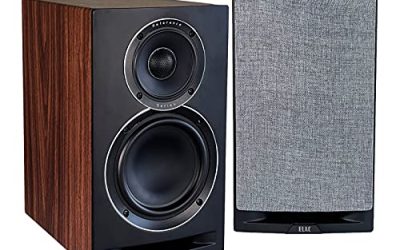
Neumann KH 310 Right 3-Way Studio Monitor
Neumann KH 310 Right 3-Way Studio Monitor
Best for: Nearfield mixing, mastering-leaning work, and multichannel rooms that value sealed-cabinet control and analogue acoustical adjustments.
Configuration: Active 3-way, tri-amplified studio monitor, right-side version
The KH 310 suits buyers who prefer a sealed cabinet and an analogue control set over app-driven correction. Its 8.25-inch low-frequency driver, dedicated midrange, and tweeter are each driven separately, and the sealed enclosure avoids a rear port, which can make placement near boundaries less awkward than a rear-ported box of similar size. Flexible acoustical controls on the cabinet let the user adjust bass, low-mid, and treble behaviour for the room and mounting position. Note the channel designation in the listing name: this is the right-side version, and a stereo setup needs the matching left-side speaker ordered as well.
Which One Fits Your Situation
You Mix at a Desk in a Small, Untreated Room
Start with the Kali Audio IN-5. Its smaller woofer is less likely to overwhelm a compact space, the coaxial midrange and tweeter hold the image together at short range, and the boundary switches address the wall proximity that small rooms impose. Place the pair on isolation pads or short stands, keep the tweeters near ear height, and resist turning up to compensate for bass the room itself is muddying.
Your Room Is Bigger and Low-End Decisions Matter Most
The IN-8 V2 and the KH 310 both bring an 8-inch-class woofer to the decision, but they solve placement differently. Choose the IN-8 V2 if a front port and coaxial imaging suit your desk-and-stands layout. Choose the KH 310 if a sealed cabinet and per-band acoustical controls fit a room where the speakers sit close to boundaries or form part of a multichannel system. Either way, budget attention for stands and symmetry before extra plugins.
You Work Across a Wide Console or in Post-Production
The ADAM Audio A77H was shaped for this geometry. Its horizontal cabinet sits naturally on a meter bridge, the twin woofers support midfield distance, and DSP room calibration fits a room that stays set up rather than being rearranged weekly. Dialogue editors who mostly work nearfield, however, may find the smaller Kali IN-5 easier to place correctly and less demanding of desk width, so let your actual surface and seating distance arbitrate.
You Are Upgrading From a Two-Way Pair and Feel Unsure
Keep your current pair while the new monitors settle in, if your space allows it, and compare the same reference tracks at matched loudness. The upgrade you should hear first is midrange separation: stacked backing vocals, distorted guitars beside a vocal, or reverb tails under dialogue. If your room makes even your present speakers boom or vanish at certain notes, treat placement and basic room problems first, because a three-way cabinet reveals those issues rather than erasing them.
Common Mistakes
Buying the largest woofer available for a small room, then fighting bass buildup that placement and boundary settings cannot fully correct.
Ordering one speaker and assuming a pair is in the box, when most three-way monitors in this class are sold as single left, right, or universal units.
Connecting balanced monitor inputs with unbalanced cables from an interface, which throws away the noise rejection the balanced chain was chosen for.
Placing the left and right cabinets at different heights or distances, then blaming the monitors for a stereo image that never had symmetrical conditions.
Judging a new pair only with loud, bass-heavy tracks at high volume instead of checking familiar vocal material at the level you normally mix.
Frequently Asked Questions
Do three-way monitors always sound better than two-way monitors?
No. A dedicated midrange driver can reduce the workload on the woofer and clarify the vocal range, but cabinet design, room placement, and listening distance still decide the result you hear. A well-placed two-way pair in a suitable room can serve a mix better than an oversized three-way pair squeezed into the wrong space.
Why does a balanced input matter for studio monitors?
Balanced XLR and TRS connections carry the signal in a way that rejects interference picked up along the cable run. That protection is most valuable near computers, power supplies, and longer cable paths. It requires balanced outputs at the interface or mixer and a balanced cable; swapping only one end of the chain does not create a balanced connection.
Are these monitors sold as pairs?
The models in this guide are generally listed as single speakers, and the Neumann KH 310 is even separated into left and right versions. Read the listing title and quantity carefully before ordering, and make sure a stereo setup includes two matching units, or the correct left and right combination where the maker splits channels.
Can a three-way monitor replace a studio subwoofer?
For many nearfield setups, an 8-inch three-way monitor covers enough low range to work without one, but it cannot reproduce the deepest octave the way a dedicated subwoofer can. Film effects, electronic production, and large rooms may still justify a subwoofer. Smaller models such as the IN-5 will show their woofer limits sooner, especially at distance.
A
admin
We compare specs, materials and verified owner reviews before a product earns a spot. Rankings are never paid.
Affiliate disclosure. As an Amazon Associate we earn from qualifying purchases at no extra cost to you. Prices accurate as of the date shown.
Five beauty picks for calm evenings at home, from snap hair clips and a foot cream to vacuum sealer bags, coin wrappers, and a face cream for quiet nights.
Five beauty picks for calm evenings at home, from snap hair clips and a foot cream to vacuum sealer bags, coin wrappers, and grow lights for quiet nights.
Five beauty picks for calm evenings at home, from snap hair clips and a foot cream to vacuum sealer bags, succulents, and grow lights for quiet nights.
Five beauty picks for calm evenings at home, from snap hair clips and a foot cream to vacuum sealer bags, succulents, and coin wrappers for quiet nights.
Five beauty picks for calm evenings at home, from snap hair clips and a foot cream to styling clips, vacuum sealer bags, and rubber gloves for tidy rooms.



 Neumann KH 310 Right 3-Way Studio Monitor